How to Operate on Binance Exchange: A Comprehensive Guide for Beginners and Advanced Users

Binance, founded by Changpeng Zhao (commonly known as CZ), is the world’s largest cryptocurrency exchange by trading volume. Whether you are a novice or an experienced trader, understanding how to navigate the Binance platform is essential for secure and efficient trading. This guide covers the fundamental steps for operating on Binance, from account creation to advanced trading features.
1. Account Registration and Security Setup
To start, visit the official Binance website or download the mobile app. Click "Register" and enter your email or phone number. After verifying your identity via a code, set a strong password. For enhanced security, immediately enable two-factor authentication (2FA) using Google Authenticator or SMS. Binance also requires identity verification (KYC) for higher withdrawal limits and full platform access, which involves uploading a government-issued ID and a selfie.
2. Depositing Funds
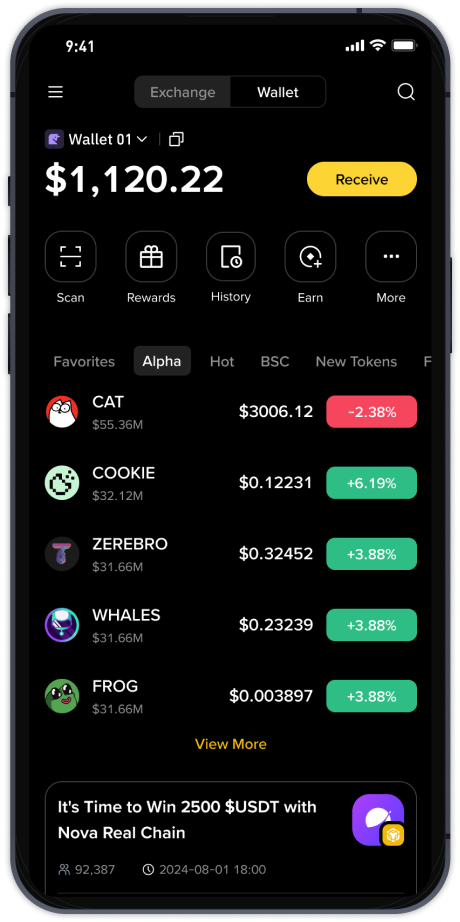
Before trading, you need to deposit funds. Navigate to "Wallet" > "Fiat and Spot" > "Deposit". You can choose to deposit cryptocurrency (e.g., BTC, ETH) by copying the deposit address or scanning a QR code from an external wallet. For fiat currency, Binance supports bank transfers, credit/debit cards, and third-party payment services. Note that fiat deposit methods vary by region.
3. Spot Trading: The Core Function
Spot trading is the most common operation on Binance. Go to "Trade" > "Classic" or "Advanced" view. Here, you will see a candlestick chart, order book, and trading pairs. To buy, select a trading pair (e.g., BTC/USDT). Choose an order type: "Limit" (set a specific price) or "Market" (buy at current market price). Enter the amount or percentage of your balance, then click "Buy BTC". The purchased coins will appear in your Spot Wallet instantly.
4. Using Binance Earn and Staking
Binance offers passive income features. Under "Earn", you can stake coins like ETH, ADA, or DOT for flexible or locked terms. Simply select the asset, choose a duration, and confirm. Alternatively, use "Launchpool" to farm new tokens by staking BNB or other assets. Interest is distributed daily, making this a popular option for long-term holders.
5. Withdrawing Funds
To exit the platform, go to "Wallet" > "Fiat and Spot" > "Withdraw". Select the cryptocurrency, enter the recipient address (carefully double-check), and specify the amount. Binance may require a 2FA confirmation and email verification. For fiat withdrawals, select your bank account or card. Withdrawal fees and minimums vary by asset and network (e.g., ERC-20 vs. BEP-20).
6. Advanced Tools: Margin and Futures
Experienced users can explore margin trading (borrowed funds) or futures (contracts with leverage). Access these via "Trade" > "Margin" or "Derivatives". These products carry high risk. Always use stop-loss orders and never invest more than you can afford to lose. Binance provides a "Testnet" environment to practice these strategies without real funds.
7. Mobile App and Customer Support
The Binance mobile app replicates desktop functionality and includes biometric login. For issues, use the 24/7 live chat or submit a ticket via the Help Center. CZ’s team regularly updates the platform to comply with global regulations, so checking official announcements is advised.
By following these steps, users can confidently operate on Binance. Always prioritize security, start with small amounts, and continuously educate yourself on market trends. Binance’s ecosystem under CZ’s leadership remains a powerful tool for digital asset management, but personal responsibility is key to success.