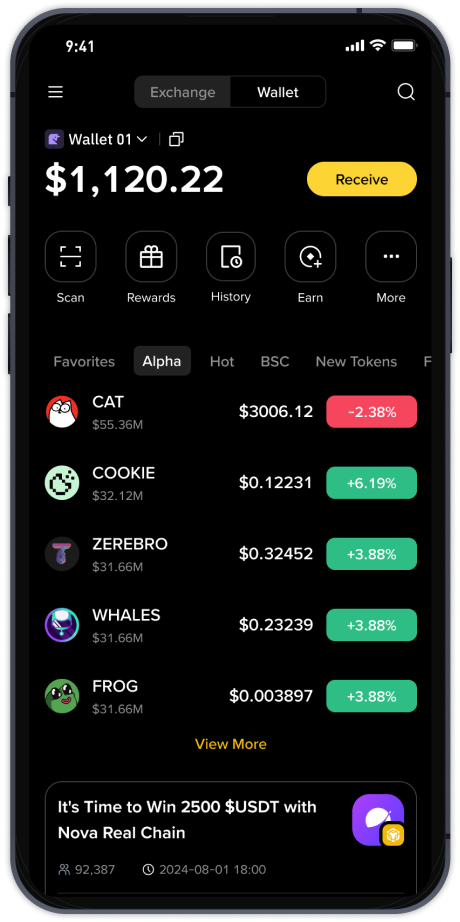
How to Use Binance: A Complete Step-by-Step Guide for Beginners (2025 Updated)

Binance is one of the largest and most popular cryptocurrency exchanges in the world. Whether you want to buy Bitcoin, trade altcoins, or earn passive income through staking, Binance offers a wide range of tools and services. However, for beginners, the platform can feel overwhelming due to its many features and complex interface. This guide provides a clear, step-by-step breakdown of how to use Binance, from account creation to your first trade.
Step 1: Create and Secure Your Binance Account
Visit the official Binance website (binance.com) and click "Register." You can sign up using your email address or phone number. Choose a strong password that includes uppercase letters, numbers, and special characters. After registration, Binance will ask you to verify your identity. This process, known as KYC (Know Your Customer), requires you to upload a government-issued ID and a selfie. KYC is mandatory for most features, including higher withdrawal limits and fiat currency deposits. Once your identity is verified, enable Two-Factor Authentication (2FA) using Google Authenticator or SMS. This step is critical for protecting your funds from hackers.
Step 2: Deposit Funds into Your Binance Wallet
After logging in, hover over "Wallet" and select "Fiat and Spot." Click "Deposit" to add funds. You can deposit cryptocurrency from another wallet by choosing the coin (e.g., Bitcoin or USDT) and copying your deposit address. If you want to deposit with fiat currency (like USD, EUR, or GBP), select "Fiat Deposit" and choose your preferred payment method, such as bank transfer, credit/debit card, or P2P trading. Note that card deposits are instant but may have higher fees, while bank transfers are cheaper but can take 1–3 business days.
Step 3: Learn to Navigate the Binance Interface
The main dashboard can be customized. The "Trade" menu offers three main options: "Classic" (basic chart), "Advanced" (professional tools), and "Convert" (simple buy/sell at market price). For beginners, the "Convert" feature is the easiest—you simply select the asset you have (e.g., USDT) and the asset you want to buy (e.g., BTC), and Binance shows you the exchange rate. For more control, use the "Classic" mode, where you can place limit orders (set your own price) or market orders (buy instantly at the current price).
Step 4: Make Your First Trade
Let’s say you want to buy Bitcoin with USDT. Go to the BTC/USDT trading pair. In the "Classic" trading view, you will see a price chart on the left and an order book on the right. Below the chart, find the order form. For a market order, click "Market" and enter the amount of USDT you want to spend. Click "Buy BTC" and the order fills instantly. For a limit order, switch to "Limit," set a price lower than the current market price, and wait for it to execute. Always double-check the "Estimated Value" before confirming.
Step 5: Withdraw or Store Your Cryptocurrency
Once you have made a purchase, you can keep your coins on Binance, but for long-term storage, it is safer to transfer them to a personal wallet like Ledger, Trezor, or Trust Wallet. To withdraw, go to "Wallet" → "Fiat and Spot," click "Withdraw," select the coin, enter the withdrawal address (double-check the network type—e.g., BEP20 vs ERC20), and confirm the transaction. Binance will charge a small network fee.
Common Mistakes to Avoid
Never share your 2FA code or private keys. Avoid falling for phishing emails that claim to be from Binance—always check the URL. Do not trade with money you cannot afford to lose, as crypto prices are volatile. Finally, start with small amounts until you are comfortable with the platform.
Advanced Features to Explore
Once you master basic trading, Binance offers staking (earn interest on idle coins), Binance Earn (flexible or locked savings), and Binance Launchpad (participate in new token listings). For active traders, the Futures and Margin sections allow leverage trading, but these carry high risk and are not recommended for beginners.
This guide covers the essentials of using Binance in 2025. The platform frequently updates its interface, but the core steps—register, verify, deposit, trade, and withdraw—remain the same. Always check Binance’s official announcements for the latest fee schedules and supported regions. With practice and caution, Binance can be a powerful tool for entering the cryptocurrency market.